Open-source project on GitHub: https://github.com/Const-me/Whisper
Download link: https://github.com/Const-me/Whisper/releases/tag/1.11.0
For Windows users, simply grab the WhisperDesktop.zip file. If you have any trouble accessing the direct download, I’ve provided a mirror link at the bottom of the article.
1. Introduction
WhisperDesktop is built upon OpenAI’s Whisper speech recognition technology, which was released in early 2023. By leveraging advanced AI inference, it delivers fast, highly accurate transcriptions and even handles real-time translation. The primary benefits are that it is completely free and runs entirely offline on your local machine, meaning your data never leaves your system. While the base Whisper model usually requires command-line interaction with Python—which can be a barrier for some—WhisperDesktop provides a streamlined, user-friendly GUI wrapper, making it an excellent choice for local transcription.
2. How to Use It
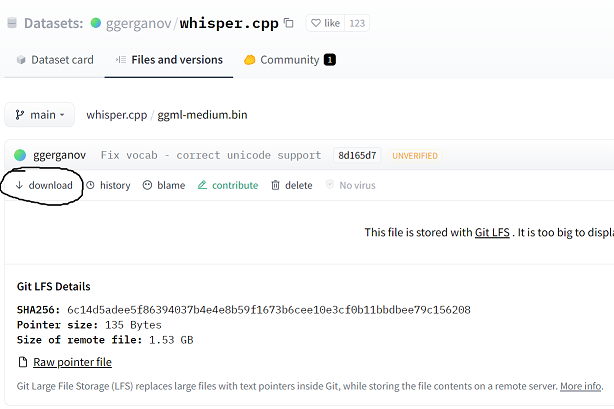
1. In addition to the WhisperDesktop software, you will need to download a Whisper model. You can find these on Hugging Face: https://huggingface.co/datasets/ggerganov/whisper.cpp/tree/main. The developer suggests using the ggml-medium.bin model for the best balance of speed and accuracy. Simply click the link to the specific model and hit the download button on the left sidebar.
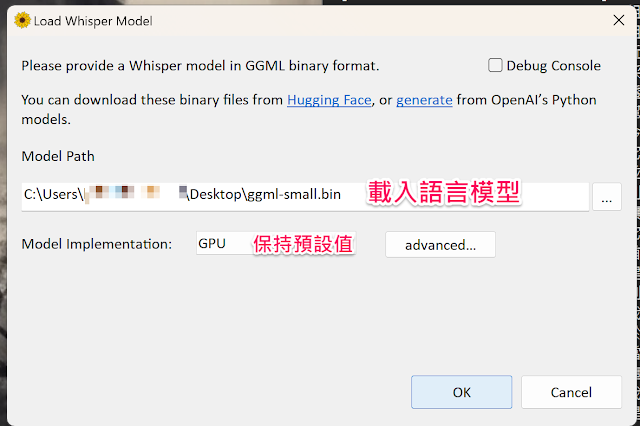
2. Once you have extracted the software, run WhisperDesktop.exe. Upon the first launch, you will be prompted to point the application to your model file location. Select the file you downloaded in the previous step.
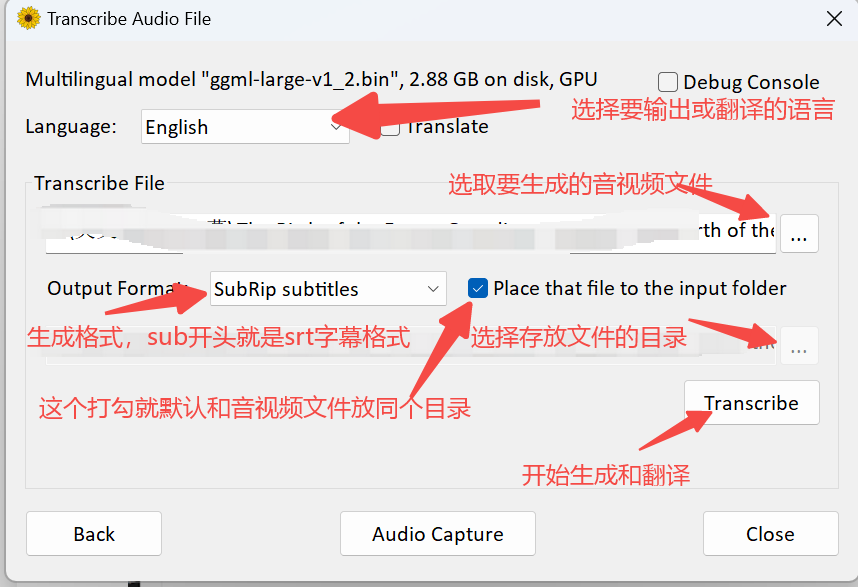
3. Refer to the screenshot below for an overview of the main interface operations:
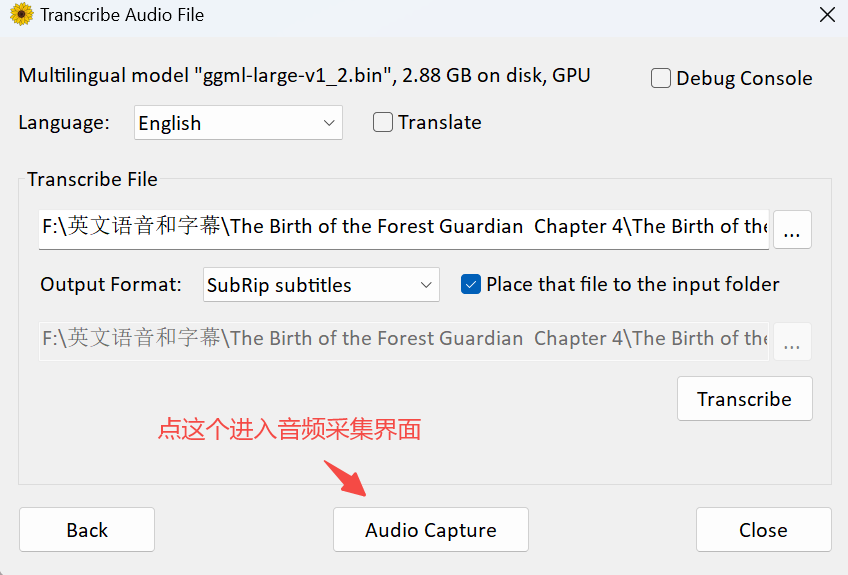
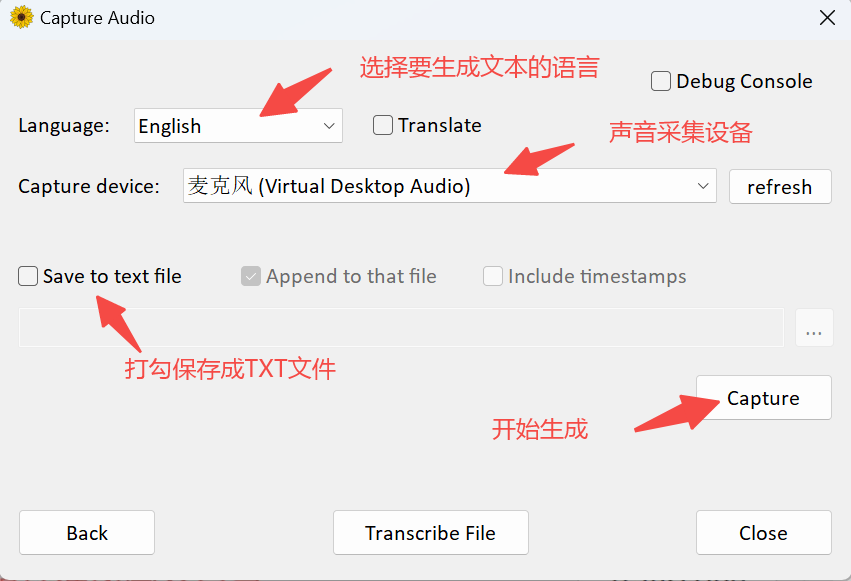
4. Audio Capture: The software also supports real-time audio transcription. See the screenshots below for the configuration process:
5. Conversion speeds depend on your PC specs. If you have a dedicated GPU, transcribing a 6-minute video should take well under 90 seconds (a general estimate).
6. While Whisper’s default transcription accuracy is excellent (95%+), performance can vary based on the model size used. Feel free to experiment and adjust as needed, and you can always manually edit the generated subtitle files for perfect accuracy.
3. Summary
WhisperDesktop is a fantastic free tool. It is simple to operate, runs entirely offline without cloud uploads, and has no usage limits. With its high accuracy and impressive speed, it is a highly recommended utility for anyone needing local speech-to-text functionality.