
1. Introduction: Why use your phone as a webcam?
1. Most of us have spare phones collecting dust at home. This is a perfect way to give them a second life.
2. The camera sensor, resolution, and overall image quality on a modern smartphone are miles ahead of most stock computer webcams.
3. By connecting your phone wirelessly over your network, you eliminate the hassle of dealing with cumbersome USB cables.
In this guide, I’ll show you the simplest way to turn your phone into a high-quality PC webcam. You don’t need to install a single app, it works on any platform (Android or iOS), and it is perfect for live streaming.
2. Setup Guide
1. Computer and Phone Configuration
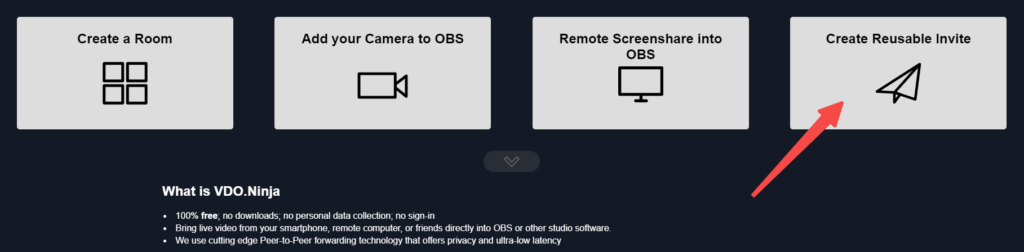
(1) Open https://vdo.ninja/ in your computer’s browser.
(2) Click the fourth icon labeled “Create a reusable invite link.”
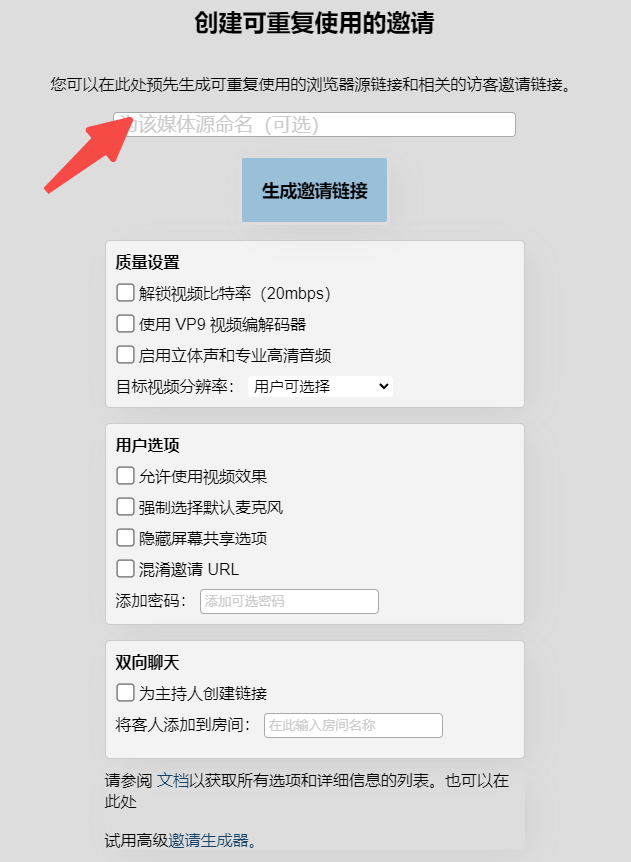
(3) You can name your media link and configure the settings as shown in the screenshot below. Once you are ready, click “GENERATE THE INVITE LINK.”
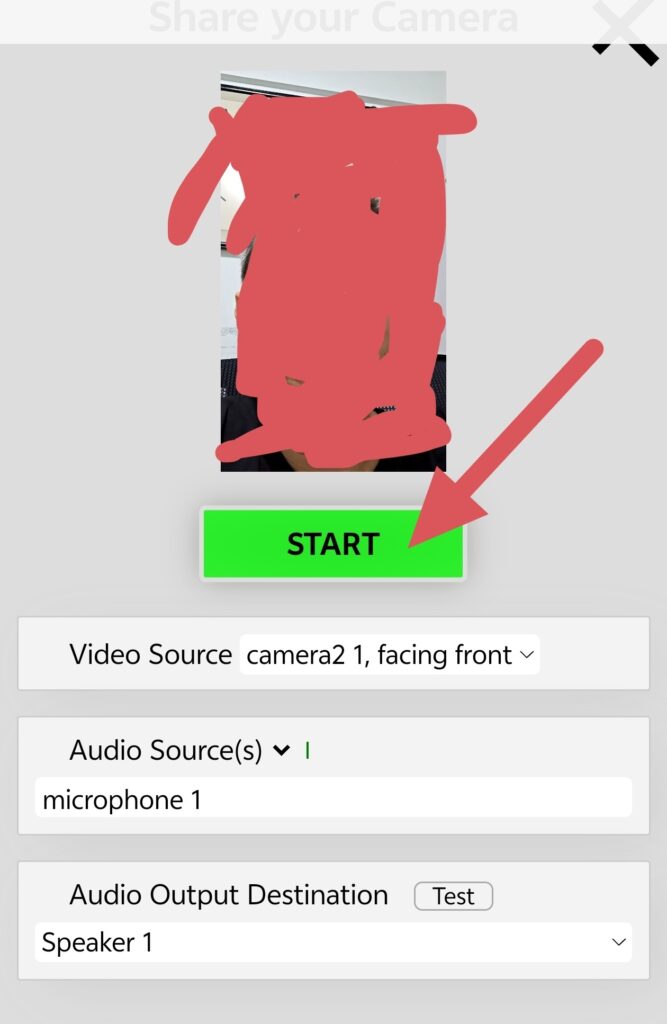
(4) You will now see a URL and a QR code. Use your phone to scan the QR code to open the camera setup interface, then tap “START.” Copy the OBS link provided on the page and paste it into your computer’s browser to see your phone’s camera feed.

2. Setting up in OBS Studio
(1) Download and install OBS Studio. [Download from Official Site]
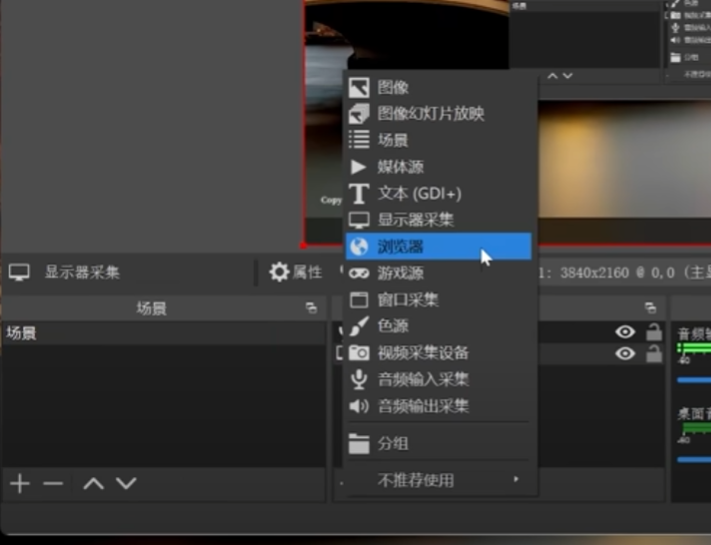
(2) Open OBS, click the “+” button in the Sources panel, and select “Browser.”
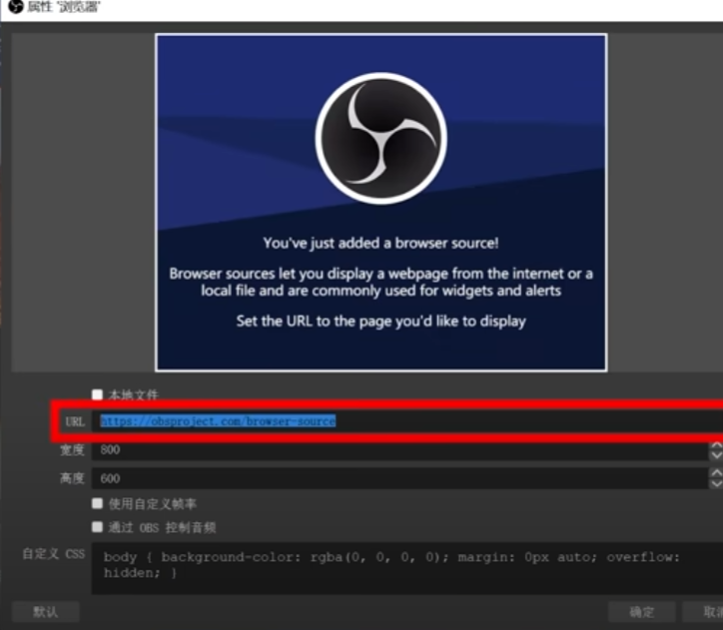
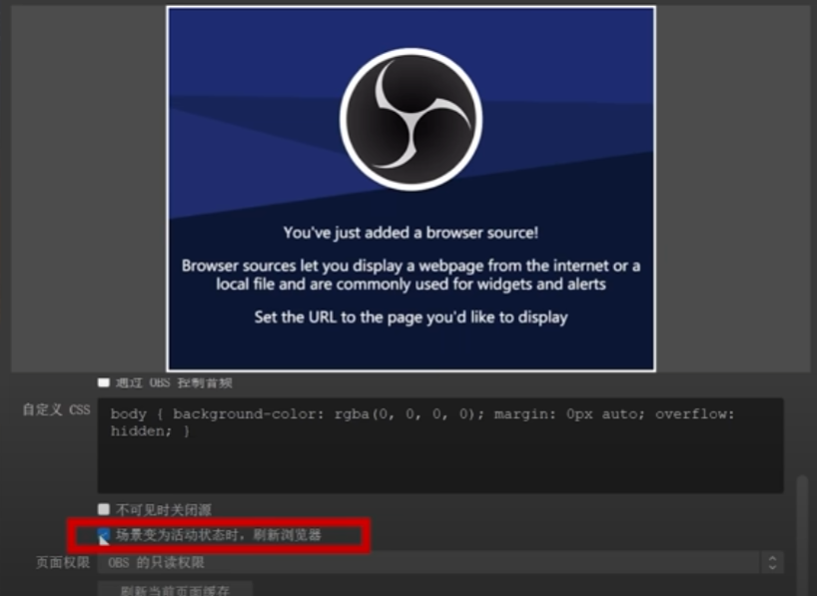
(3) Paste the VDO.Ninja link you generated earlier into the URL field. You can adjust the width and height as needed. Finally, make sure to check “Refresh browser when scene becomes active scene when active” and click “OK.”
3. Conclusion
The beauty of this method is that it requires no software installation, works across all platforms, and leverages your phone’s high-quality camera. There are plenty of other features to explore, so feel free to experiment with it!