
Hey everyone!
Are you constantly feeling overwhelmed by mountains of documents, research papers, and endless browser tabs? Today, I’m pulling back the curtain on a game-changing tool—Google’s NotebookLM! It helps you master massive datasets of up to 25 million words, allowing you to extract the gold from the noise in record time.
Why Do You Need NotebookLM?
While AI assistants like ChatGPT and Claude are already powerhouses, NotebookLM brings something unique to the table:
-
Heavyweight Data Processing: Capable of handling up to 25 million words, it makes short work of academic papers and dense research reports.
-
Multi-Source Integration: It supports a variety of formats, including PDFs, Google Docs, Slides, web pages, and even YouTube videos, centralizing all your information.
-
Grounding in Your Own Data: It answers questions strictly based on the documents you upload, minimizing hallucinations and providing verifiable source citations.
How to Use NotebookLM? [Click here to visit the official site]
-
Create a Notebook: Set up a new notebook on the NotebookLM homepage.
-
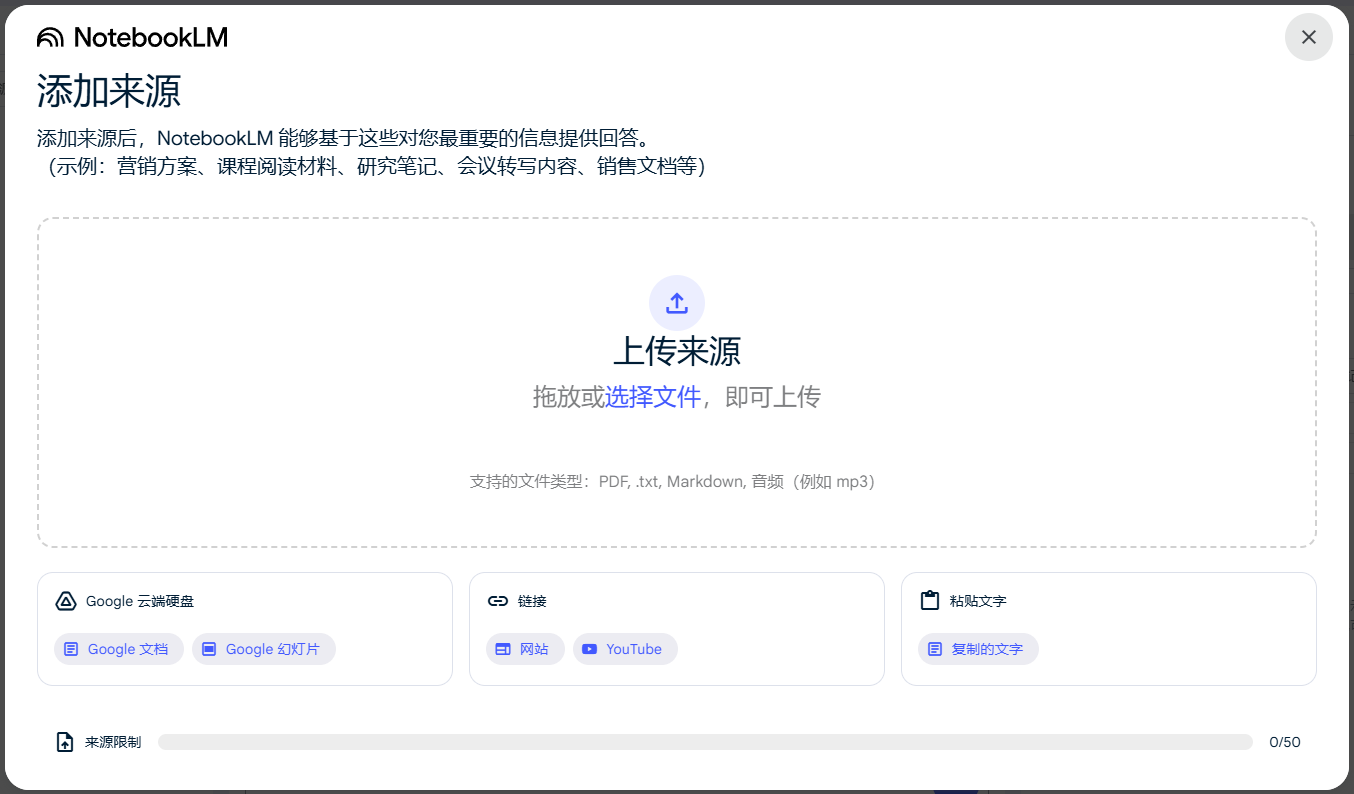
Upload Your Data: Drag and drop your files, web links, or YouTube URLs into the dashboard.
-
Max 50 files or links per notebook.
-
Single file limit: 200MB or 500,000 words.
-
Supports PDF, Google Docs, Slides, web content, YouTube, and more.
-
-
Data Management:
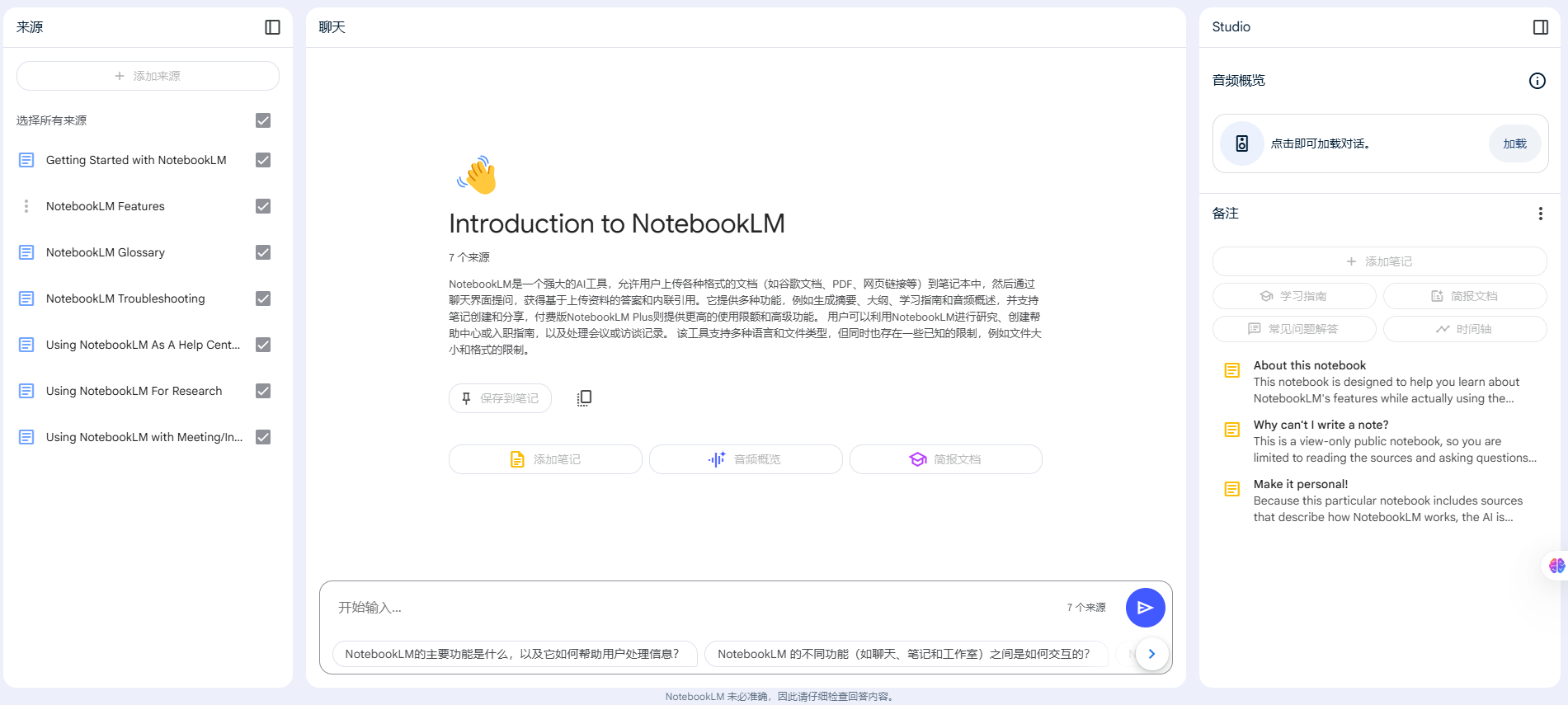
- Use the left-hand “Sources” panel to review your uploaded material.
- Click any source to view the full text and its AI-generated summary.
- Note: Google Drive imports act as copies, so you’ll need to re-sync if the original file changes.
-
Quick Summaries: Click “Summary” to generate an integrated overview automatically.
-
Q&A and Discovery: Use the sidebar to chat with your data; the AI provides answers with clear, clickable citations.
-
Save Insights:
-
Save chat responses as “Notes.”
-
Manually add notes to capture your own thoughts.
-
To let the AI reference these thoughts later, convert them into “Sources.”
-
-
Additional Features:
-
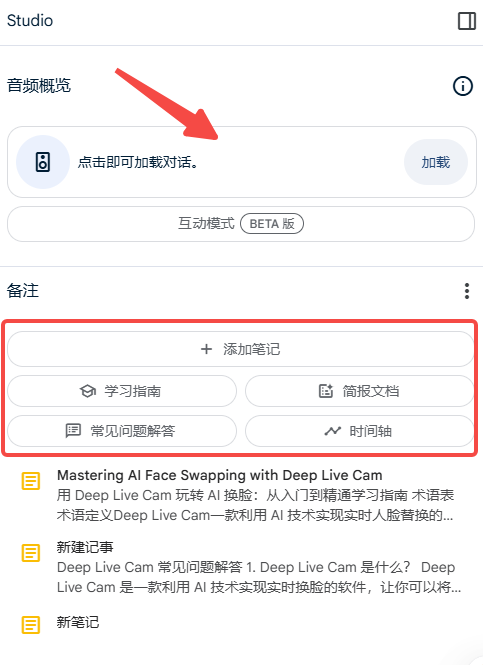
“FAQ”: Automatically generates a list of common questions based on your data.
-
“Study Guide”: Creates practice quizzes based on your material.
-
“Timeline”: Arranges key events chronologically.
-
-
Podcast Generation: Creates an AI-hosted podcast discussion based on your sources; you can even interact with the audio.
-
Currently limited to English-language podcasts.
-
-
Editing and Transcripts:
-
You can use Descript for editing, though it doesn’t natively support Chinese transcripts.
-
Try Google AI Studio to generate transcripts in Chinese.
-
-
Deleting Notebooks: You can easily delete any unwanted notebooks via the menu.
Use Cases for NotebookLM
-
Academic Research: Rapidly analyze massive sets of research papers.
-
Professional Work: Consolidate technical documentation to gain deep subject knowledge.
-
Daily Life:
-
Appliance Manuals: Upload PDFs to quickly find troubleshooting tips.
-
Travel Planning: Feed your itineraries and research into AI to optimize your trips.
-
Study Notes: Upload podcast transcripts to extract key takeaways.
-
Voice Notes: Turn messy audio notes into organized, written documentation.
-
Pro Tips
-
Books: Convert EPUB files to text format to upload and analyze entire books.
-
Web and YouTube: Just drop in the URL to import content instantly.
-
Visuals: Integrate with Napkin to create beautiful visual timelines.
Final Thoughts
NotebookLM is a incredibly powerful, versatile AI assistant designed to help you process information efficiently and supercharge your productivity. Whether you are a student, researcher, or working professional, NotebookLM is a tool you shouldn’t miss. Give it a try!