
We’ve all been there: you have an old, blurry, or low-resolution photo that you wish you could bring back to life with better clarity. While there are plenty of online tools out there, they often struggle with quality or—more importantly—pose significant privacy risks since you have to upload your personal files to a remote server. Enter Final2x, a completely free, open-source tool that handles all your image upscaling and restoration tasks right on your own machine.
Check out the project on GitHub: https://github.com/Tohrusky/Final2x/
Baidu Cloud mirror: https://pan.baidu.com/s/1seeMyW3jCCwZWehX9zxHiw (Extraction code: vp4i)
1. Download the version for your operating system. For this guide, we’ll be using the Windows version.
2. Unzip and run Final2x. The UI is incredibly straightforward: just drag and drop the photos you want to enhance and hit start.
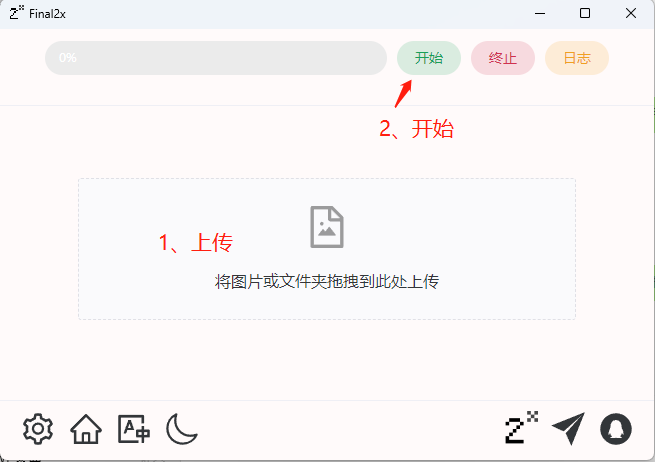
3. Let’s take a closer look at the icons located in the bottom-left corner of the app:
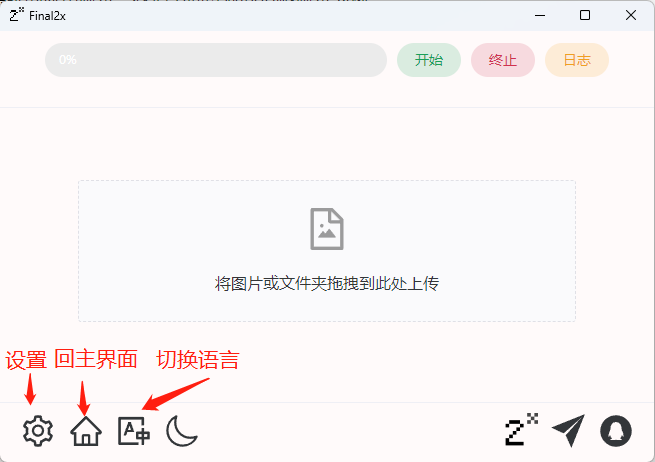
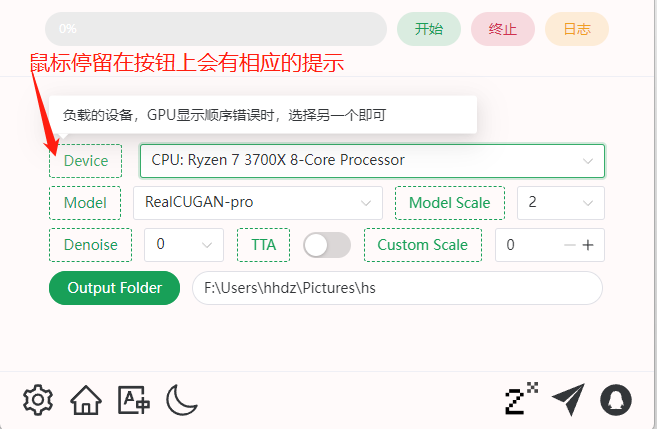
4. First, click the language button to set your preferred interface language. Then, navigate to the settings menu. You can hover your mouse over any button for a helpful tooltip. Note: If you have an Nvidia dedicated GPU, feel free to enable TTA (Test-Time Augmentation) for higher-quality results. If you don’t have a supported GPU, be sure to leave it off to prevent processing errors.
5. Check out the before-and-after results below:
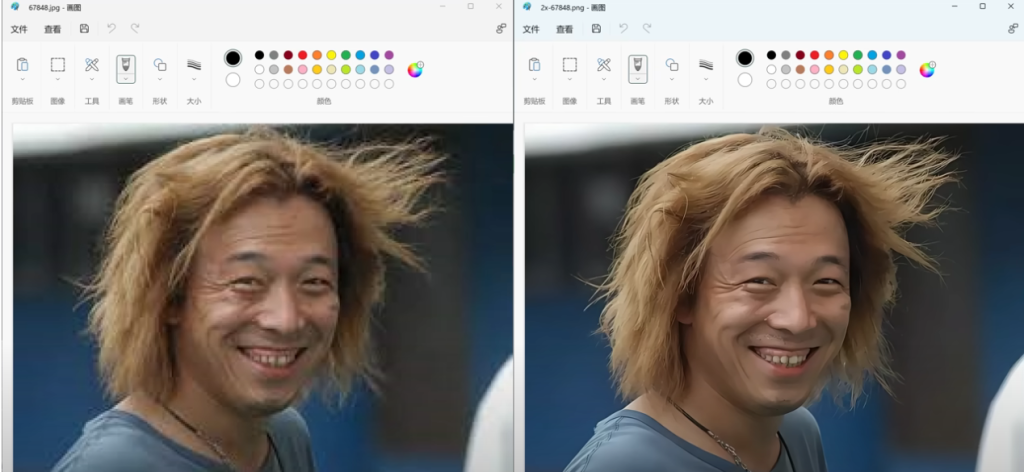
Conclusion: Final2x is a fantastic, open-source, and totally free tool. Because it processes everything locally, you don’t have to worry about your data privacy. It delivers impressive results, and I highly recommend adding it to your utility toolkit.