Ever wanted to be the star of your own movie or share the frame with your favorite fictional characters? Today, I’ll show you how to build your own AI digital twin to put yourself on the big screen with ease!
1. Prerequisites:
- 1、Set up a GitHub Account: GitHub is the gold standard for code sharing, and you’ll need it to access various AI models. https://github.com/
- I’ll skip the registration details as it’s straightforward.
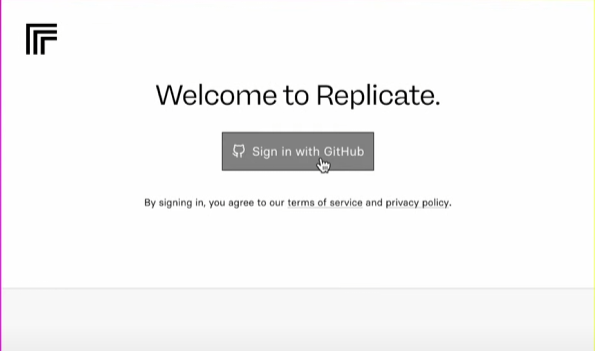
- 2、Rent GPUs via Replicate: Replicate provides high-performance GPU resources, making it a breeze to run complex AI models. https://replicate.com/
- Log in with your GitHub account. You’ll also need a credit card that supports international payments.
-
- Click “Add Payment Method” to get started.
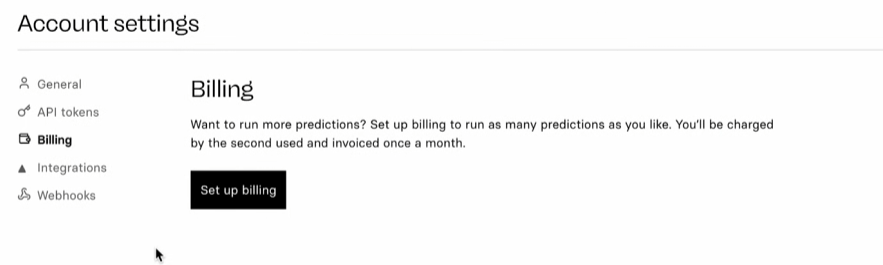
Add your credit card info (Replicate charges based on actual usage, so there are no recurring monthly or annual fees).
2. Training Your AI Model:
- Find Flux and LoRa: Search for “flux lora” in the Replicate search bar and select the fourth result.
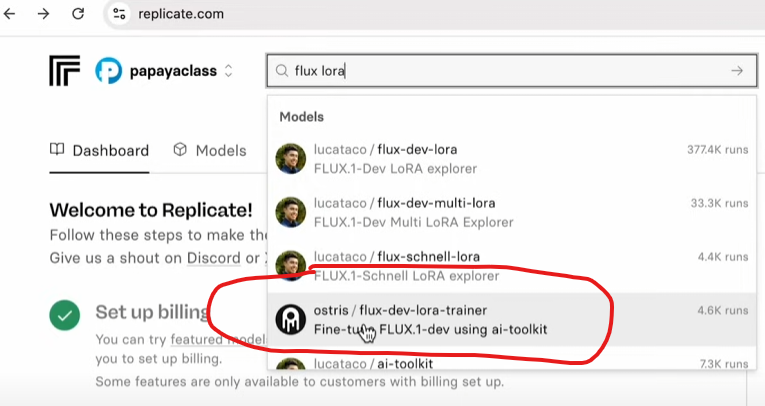
- Create a New Model:
- Click “Train.” Note the warning: H100-level GPU instances cost about $0.0011528 per second. This roughly translates to $2 for every 20 minutes of training, so keep an eye on your budget.
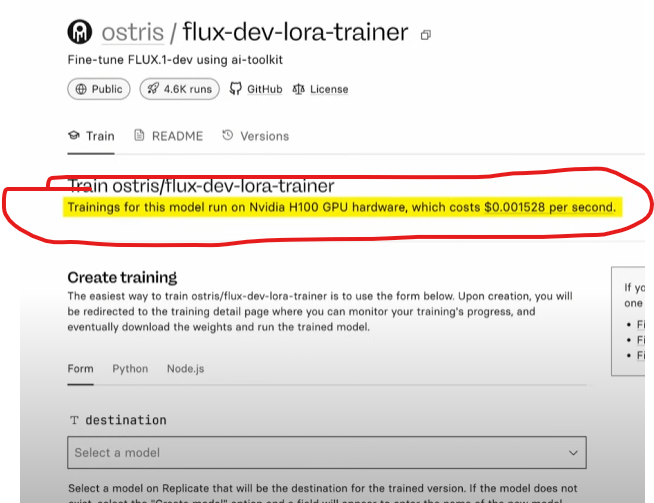
- Name your model (e.g., “Xiaoming Super Star”).
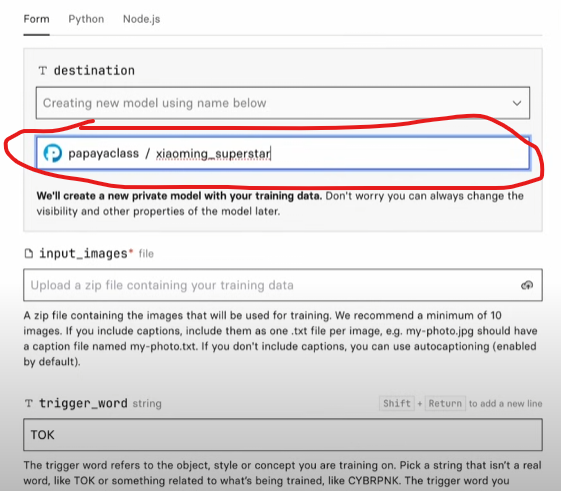
- Prepare at least 10 high-quality headshots or full-body photos, compress them into a single file, and drag it into the Replicate upload area.
- Set your instance keyword (e.g., “Xiaoming”).
- Check “Automatically add captions” and add the prefix “a photo of Xiaoming”.
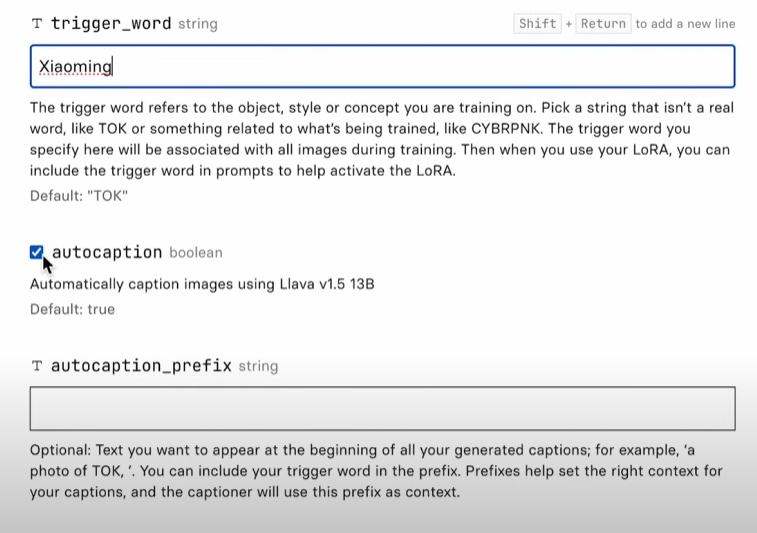
- Hit “Start Training.”
- Training takes about 20 minutes; grab a coffee while you wait.
3. Generating Images:
- Run or Download the Model: Once training is complete, you can download the model locally or run inference directly on the Replicate website.
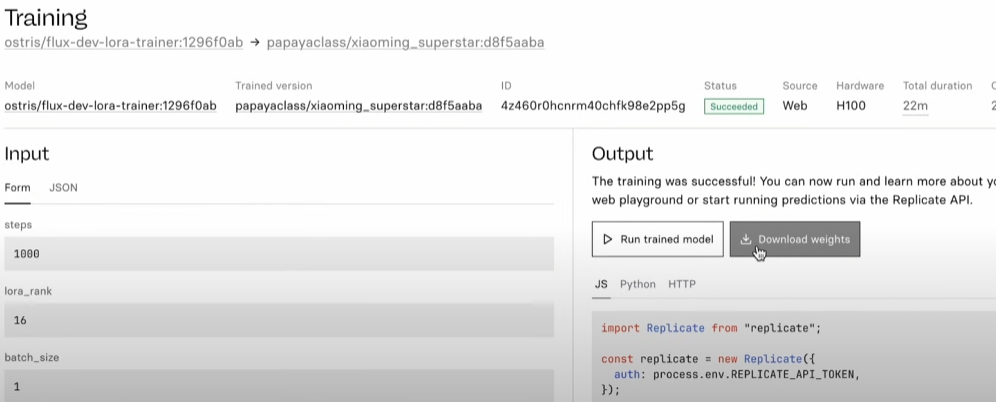
- If running on the site, enter your prompt in the box below.
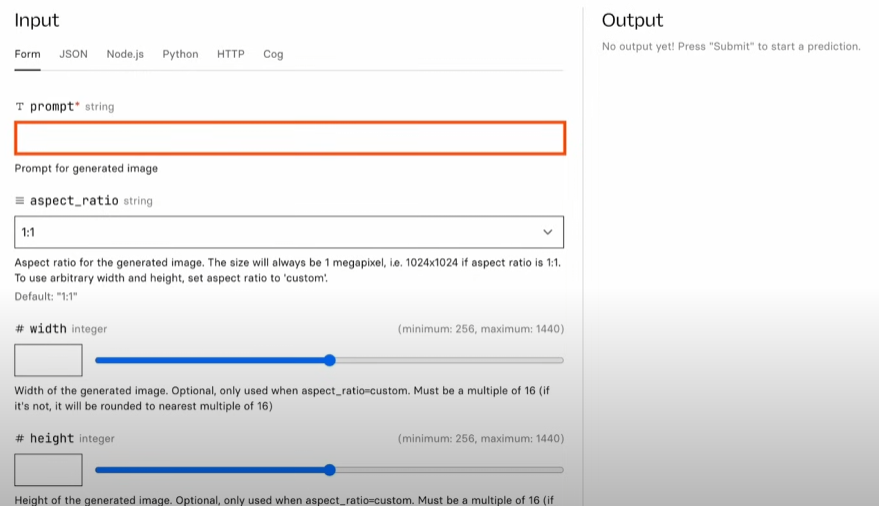
- Not a pro at prompting? Use ChatGPT or an image prompt generator to help you write descriptive prompts.
- Example:
a man named Xiaoming wearing a thick coat taking a photo with a polar bear in the Arctic - Be sure to remove the
--ar 16:9parameter as it won’t work here.
Configure Settings:
- Adjust aspect ratio
- Set number of outputs
- Choose file format (JPEG or PNG)
- Set image quality
- Click “Run”: Wait for the AI to work its magic.
4. Practical Applications:
- Use your trained model for professional headshots or social media avatars.
- Generate cinematic composites to put yourself in iconic movie scenes!
5. Model Management:
- Manage your models on the Replicate site: rename, edit descriptions, change covers, or adjust privacy settings.
- Delete any models you no longer need.
- Check your usage stats and set spending caps in your “Account Settings.”
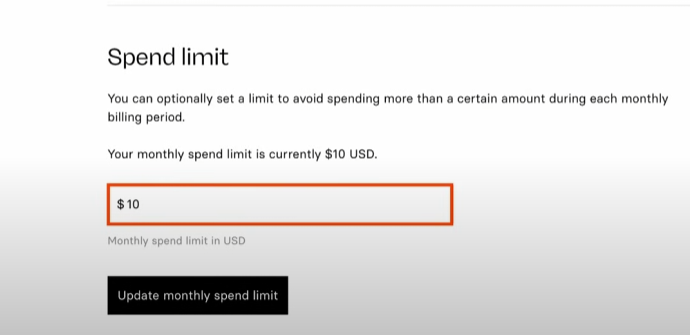
Start building your digital twin now and live out your cinematic dreams!