

What is a Domain?
In Windows networking, a Domain is an independent administrative unit. When multiple domains need to communicate, they establish a “Trust Relationship,” which acts as a bridge. Once a trust relationship is established, domains can share resources like file servers and printers across the network while enabling centralized management. This domain-based architecture is the gold standard for corporate environments, where IT admins use a central server to push policies and security restrictions to every workstation. Want to get your machine connected? Here is how to join a domain.
How to Join a Domain in Windows 10
1. First, ensure you are running Windows 10 Enterprise, Pro, or Education edition. Note that the Home edition does not support domain joining.
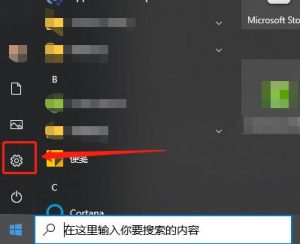
2. Open the Start menu and click on Settings (the gear icon).
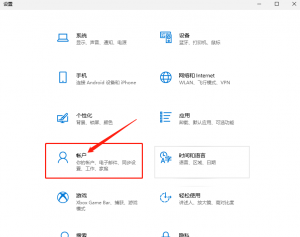
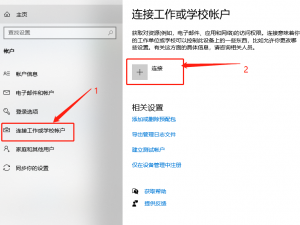
3. Navigate to Accounts, select “Access work or school,” and click the “Connect” button (represented by the plus icon).
4. Select the option to join a local Active Directory domain.
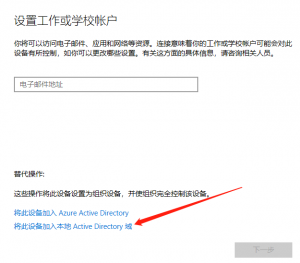
5. In the pop-up window, enter your target domain name.
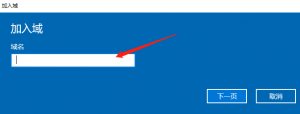
6. You will be prompted to enter your domain credentials (username and password) and select your account type.
7. Once the process is complete, restart your machine to finalize the join.
How to Leave a Domain
To disconnect, follow the same path: go to Accounts, select “Access work or school,” find your domain connection, click “Disconnect,” confirm the prompt, and reboot your computer.